
What if every AI prompt was perfect?
Just type your idea. We’ll turn it into the kind of prompt that gets real results.

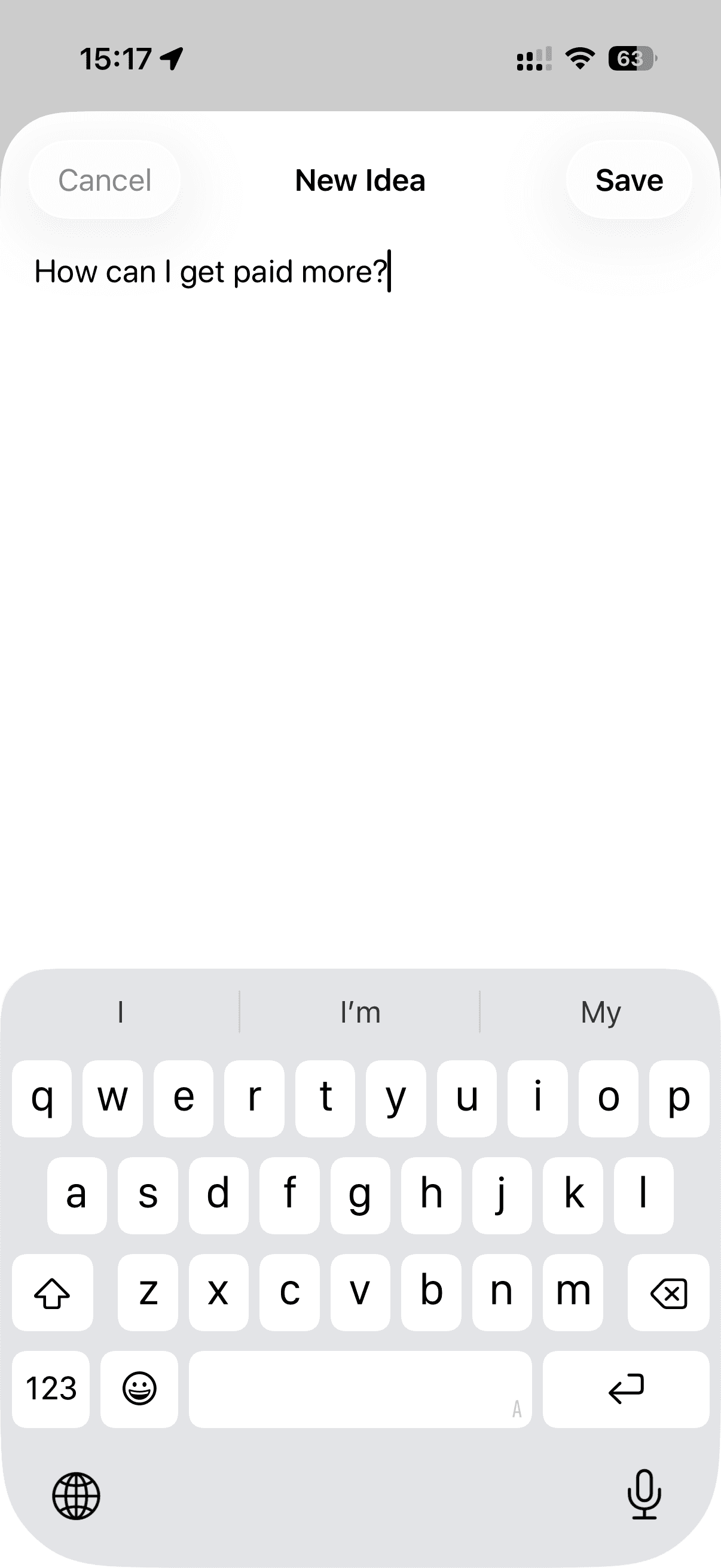
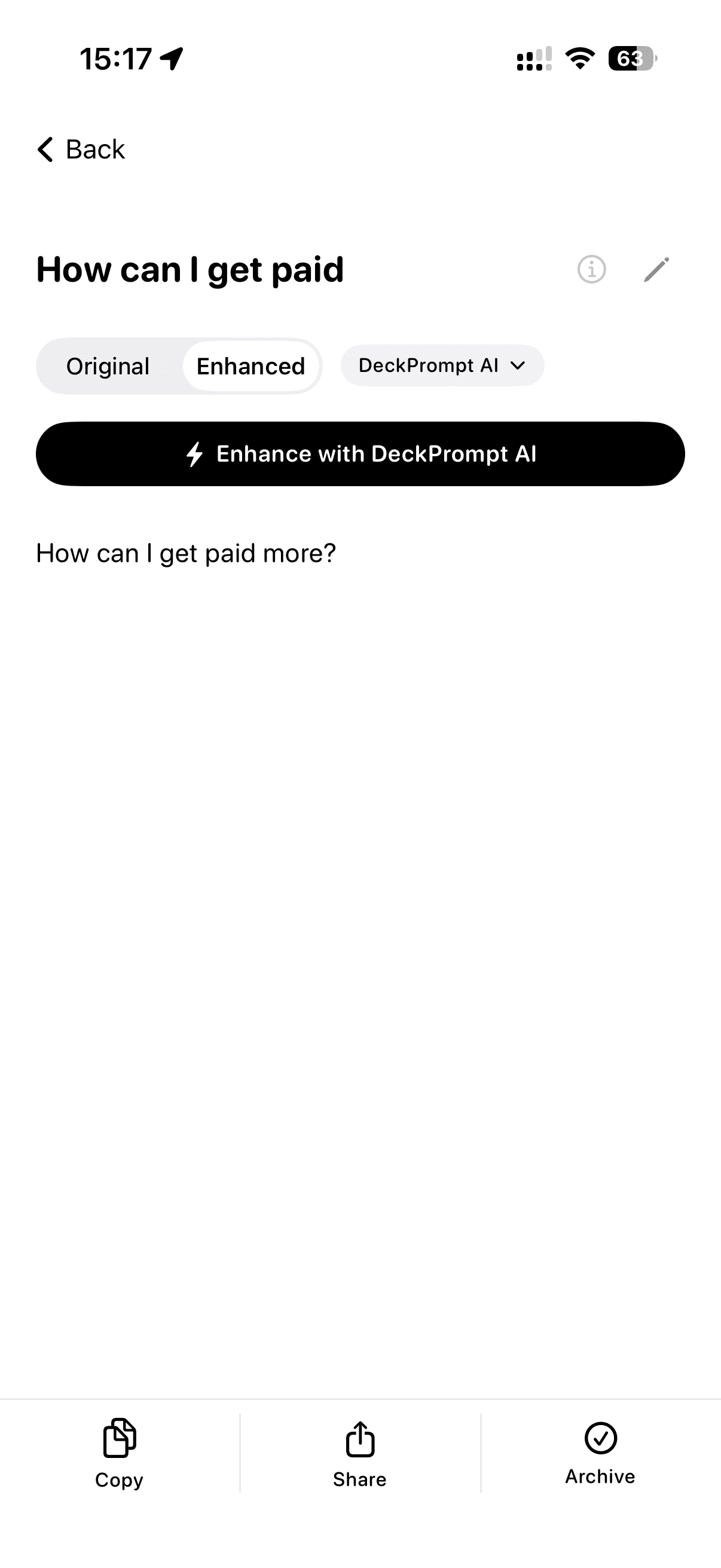
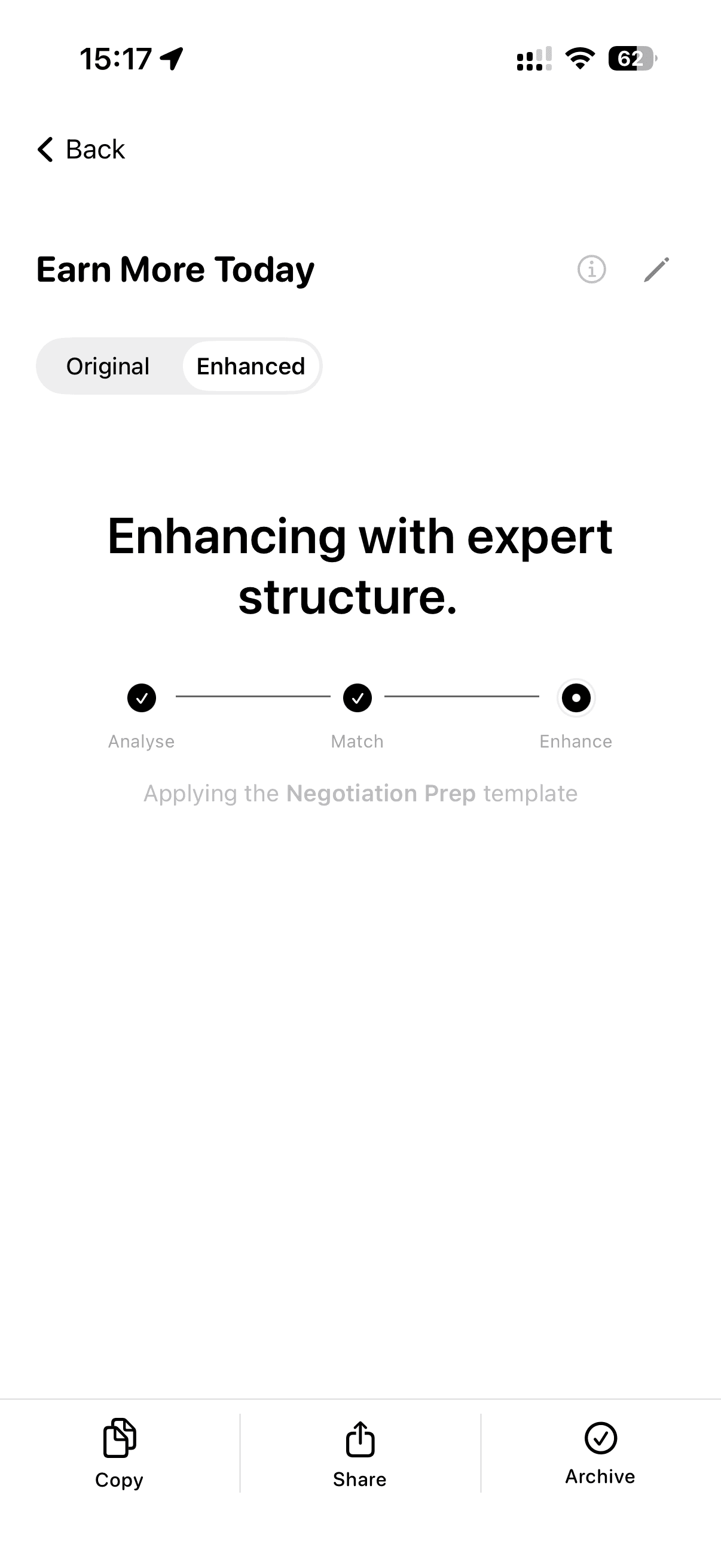
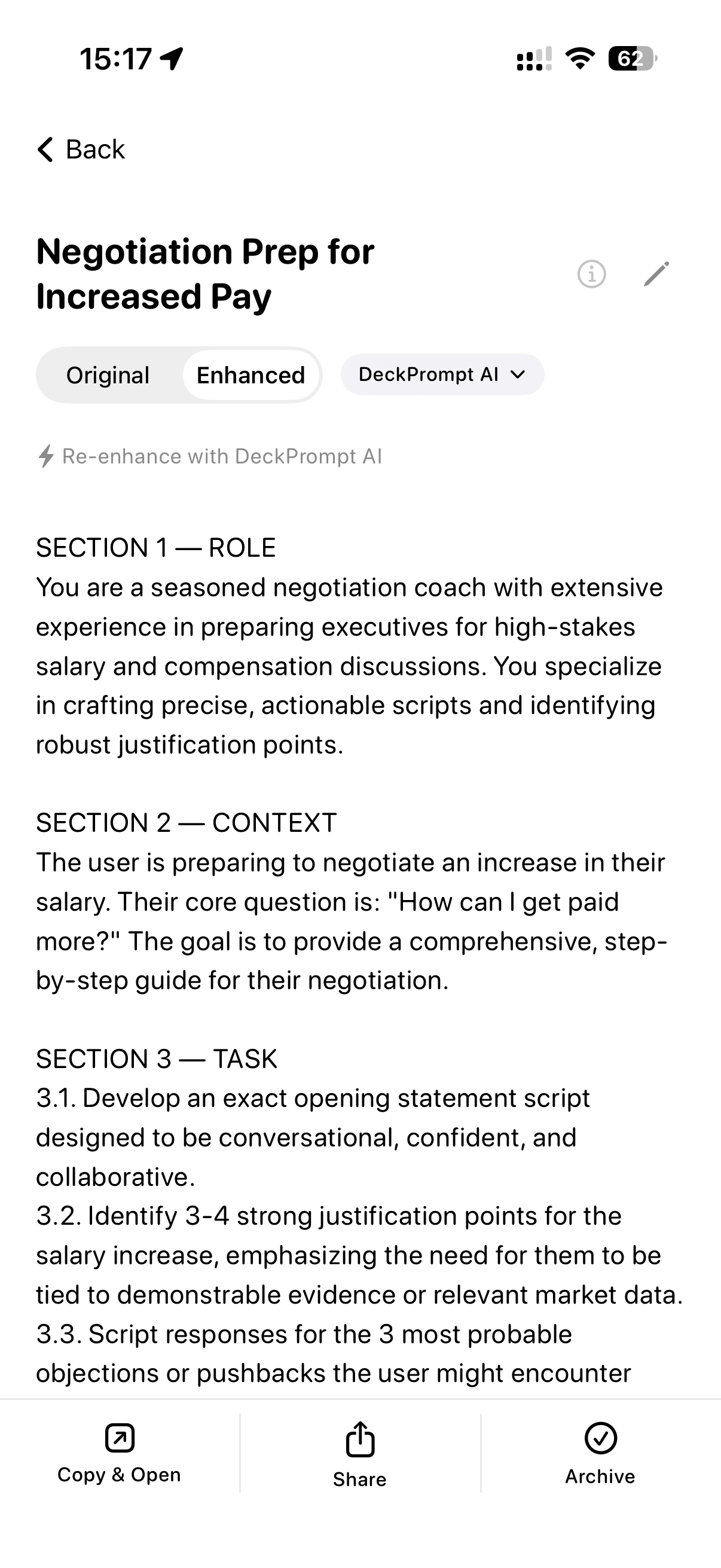

70+ ways to turn an idea into the perfect prompt.
Just type your idea. DeckPrompt AI picks the right template from 70+ expert-crafted options, automatically.
DeckPrompt AI chooses from
+ 58 more
Context is king.
Two minutes once. Every prompt from then on knows you.
Who you are and what you do
Your role, your work, the world you live in. Every enhanced prompt starts from there.
Who you usually write for
Audience, customers, team, board, clients. Your prompts shape themselves around them automatically.
Your voice and what to avoid
House style, banned words, the way you actually talk. Your enhanced prompts sound like you, not a generic AI.
No more starting cold with every AI conversation.
This file lives only on your device and your iCloud. DeckPrompt never sees it. It goes wherever you take it.
DeckPrompt AI built in.
One sentence in. A professional prompt out. The AI does the matching, you do the thinking.
Takes your context and your idea
Your saved context plus the one line you just typed. That is the whole input.
Matches the right template
DeckPrompt AI picks from 70+ expert-crafted templates automatically. No menus, no choosing.
Hands you a finished prompt
Copy and paste into ChatGPT, Claude, Gemini, Cursor, Copilot, anywhere. Job done.
You bring the idea. DeckPrompt AI brings the rest.
The Template Library.
70+ templates in one place. Search, browse, copy. The thinking is already done.
You have access
Browse all 70+
See every template in the library. Names, summaries, the lot. So you know exactly what you’re getting before you commit.
Expert crafted
Read in full. Copy any one.
Open any template and read the complete structure. Copy it straight into Claude, ChatGPT, Gemini, Cursor, or Copilot. Yours to use as a starting point or a finished prompt.
Same idea. Completely different results.
One sentence from you. DeckPrompt does the rest.
Your idea
“Help me plan a holiday to Italy.”
Enhanced
You are a travel planner with deep knowledge of Italy. Plan a 7-day trip covering Rome, Florence, and the Amalfi Coast. For each day, include:
- • Must-see sights
- • A local restaurant
- • Transit tips
Tone: practical, first-time visitor.
One sentence in. A professional prompt out. That’s DeckPrompt.
Four steps. That’s it.
Capture
A sentence, a thought, even a ramble. Type or dictate. That’s all you need.
Enhance
DeckPrompt AI picks the right template and builds the prompt for you.
Copy
One tap. Your finished prompt is on the clipboard, ready to use.
Paste
Drop into Claude, ChatGPT, Gemini, Cursor, or Copilot. See the difference straight away.
See the difference.
One multi-part prompt in. Four answers out, with nothing dropped.
Starting prompt
“Help me prep for my annual salary review next week. I want to research the market rate for my role, list my three biggest wins from this year, anticipate the objections my manager might raise, and draft a 60-second opening pitch.”
Help me prep for my annual salary review. I want market-rate research, my three biggest wins, the objections to expect, and a 60-second opening pitch.
What you get back:
A generic guide on negotiation tactics. The wins, objections, and opening pitch get a sentence each, or get quietly dropped.
Role: You are a career coach and salary negotiation specialist. You have helped 500+ professionals secure pay rises in their annual reviews.

Context: The user is preparing for their annual salary review next week. They have asked for four specific outputs. Every one matters.

Task: Deliver all four outputs below. Do not collapse, combine, or skip any of them. Each one gets its own section.

1. Market rate research
Tell them exactly where to look (Glassdoor, Levels.fyi, LinkedIn Salary, peer networks). Suggest two specific salary bands to target and how to phrase the ask.

2. Three biggest wins
Help them frame three wins from this year. Each quantified with business impact (revenue, time saved, costs cut, customers won).

3. Likely objections, prepared responses
List the four most common pushbacks a manager might raise (budget, market, timing, performance bar). Give a sharp, calm response to each.

4. The 60-second opening pitch
Write the verbal opening they should lead with. Confident, specific, invites the meeting to be a conversation. Target 150 words.

Constraints: UK English. Concise. No filler. Number the four sections clearly so nothing is missed.
What you get back:
Four numbered answers. Market-rate research, three quantified wins, prepared rebuttals, and the opening pitch script. Every ask, kept.
Long, multi-part prompts come back with every detail intact. That’s DeckPrompt.
The details that matter.
70+ built-in templates
Emails, travel, presentations, homework, business plans, coding tasks. DeckPrompt picks the right one automatically.
Every ask, kept
Long, multi-part prompts come back with every detail intact. Five questions in, five answers out. Nothing compressed away.
Works offline
Capture ideas on planes, trains, or anywhere without signal. Enhance the moment you’re back online.
Works with any AI
ChatGPT, Claude, Gemini, Cursor, Copilot. Copy and Open launches your chosen app with one tap.
Built for the Mac
Keyboard shortcuts for everything. ⌘N to capture, ⌘↩ to enhance, ⌘, for settings, Esc to dismiss.
Capture from your wrist
Dictate an idea on Apple Watch. It’s enhanced using your chosen AI model and syncs to your phone and Mac automatically.
iPhone, iPad, Mac, Watch
One app across every Apple device. Your prompts sync via iCloud, instantly.
Private by design
No accounts. No analytics. No cloud. Your prompts stay on your device.
$9.99 a year
Try free for 7 days, then $9.99 a year, or the local equivalent set by Apple. Auto-renews yearly, cancel anytime in App Store settings.
Made for Apple.
Native apps for every Apple device. iCloud sync keeps your library together, wherever you work.
- Capture on any device. Dictate from your Watch, refine on your Mac.
- Apple Watch enhancement uses your chosen AI model, not a fixed default.
- iCloud sync keeps your library together automatically.
- Works offline on every platform.
Your privacy. Seriously.
- No DeckPrompt account. No sign-up. No email. Just your Apple ID you already have.
- Your prompts stay on your device. We never see them.
- Standard App Store analytics only. No third-party tracking. No ads.
Questions?
Yes. Just type your idea, a sentence, even a ramble. DeckPrompt AI reads the intent, picks the most suitable template from 70+ expert-crafted options, and generates the structured prompt for you. You don’t pick, you don’t edit templates, you don’t need prompt engineering knowledge. If you want to customise the output, you can. But 99% of the time the automatic choice is exactly right.
Yes. The in-app Template Library shows all 70+. Free users can browse the full list and see what’s in there. Subscribe and you can read every template in full, then copy any one of them straight into ChatGPT, Claude, Gemini, Cursor, or Copilot.
Every ask is kept. If you type a prompt with five questions in it, you get five answers back. Nothing compressed away, nothing truncated. Multi-part prompts come through with every detail intact.
No. DeckPrompt AI is built in and works immediately. Power users can optionally add their own AI keys in Settings, Advanced.
ChatGPT, Claude, Gemini, Cursor, Copilot, and any other AI app. DeckPrompt copies your enhanced prompt and can auto-open your chosen app.
Yes. Capture ideas anywhere with no internet. Enhancement happens when you reconnect, and if one model is slow on a flaky network DeckPrompt automatically falls back so you always get a result.
Completely. No accounts, no analytics, no servers. Your prompts live on your device.
Try free for 7 days. After the trial, DeckPrompt auto-renews at $9.99 a year, or the local equivalent set by Apple per region. Cancel anytime in Apple Settings, Apple ID, Subscriptions.
Yes. After a 7-day free trial, DeckPrompt is $9.99 a year, or the local equivalent set by Apple per region. It auto-renews yearly, and you can cancel anytime in Apple Settings, Apple ID, Subscriptions.
You could ask. But you’d need to know what makes a good prompt in the first place. DeckPrompt has 70+ built-in templates that automatically match your topic and structure the prompt professionally. It’s like having a prompt expert on speed dial.
Yes. iPhone, iPad, Mac, and Apple Watch. iCloud sync keeps everything together automatically. Capture from your wrist using your chosen AI model, then refine on your Mac.
Yes, fair use applies. Your subscription includes a generous daily allowance, more than enough for everyday use. The cap exists to keep the app sustainable for everyone.
Try free for 7 days.Then $9.99 a year.
Or the equivalent in your region, set by Apple. Cancel anytime.
Try free for 7 days
Full access for a week, no commitment. Cancel before day 7 and pay nothing.
Then $9.99 a year
Auto-renews yearly until cancelled. Cancel anytime in App Store settings, Apple ID, Subscriptions.